Teachers Guide to MCQ.SG
How to use MCQ.SG with your students
A concise guide to the teacher workspace, class follow-up, worksheets, and the practice experience your students see. Some worksheet features only appear when they have been enabled for your organisation.
1. Your Workspace
Teachers who own a class land in the Teacher Workspace. Students land on their own learning dashboard.

1Teacher Navigation
- Overview — Questions and Topics, with class activity cards above both.
- Students — Progress and Roster.
- Worksheets — shown when worksheet access is available.
Use the class name at the top to switch between classes.

2Student Dashboard
Students see their daily goal, practice choices, worksheets you have given out, and links to Progress and History.
2. Students and Roster
Students is a top-level area. Progress always uses the rolling last 30 days; Roster contains class administration.

1Progress and Profiles
Students are grouped as Needs Help (below 40%), On Track (40% to below 80%), or Flying (80% and above). Select a student for their 30-day accuracy, all-time totals, weak areas, and attempt history.

2Roster
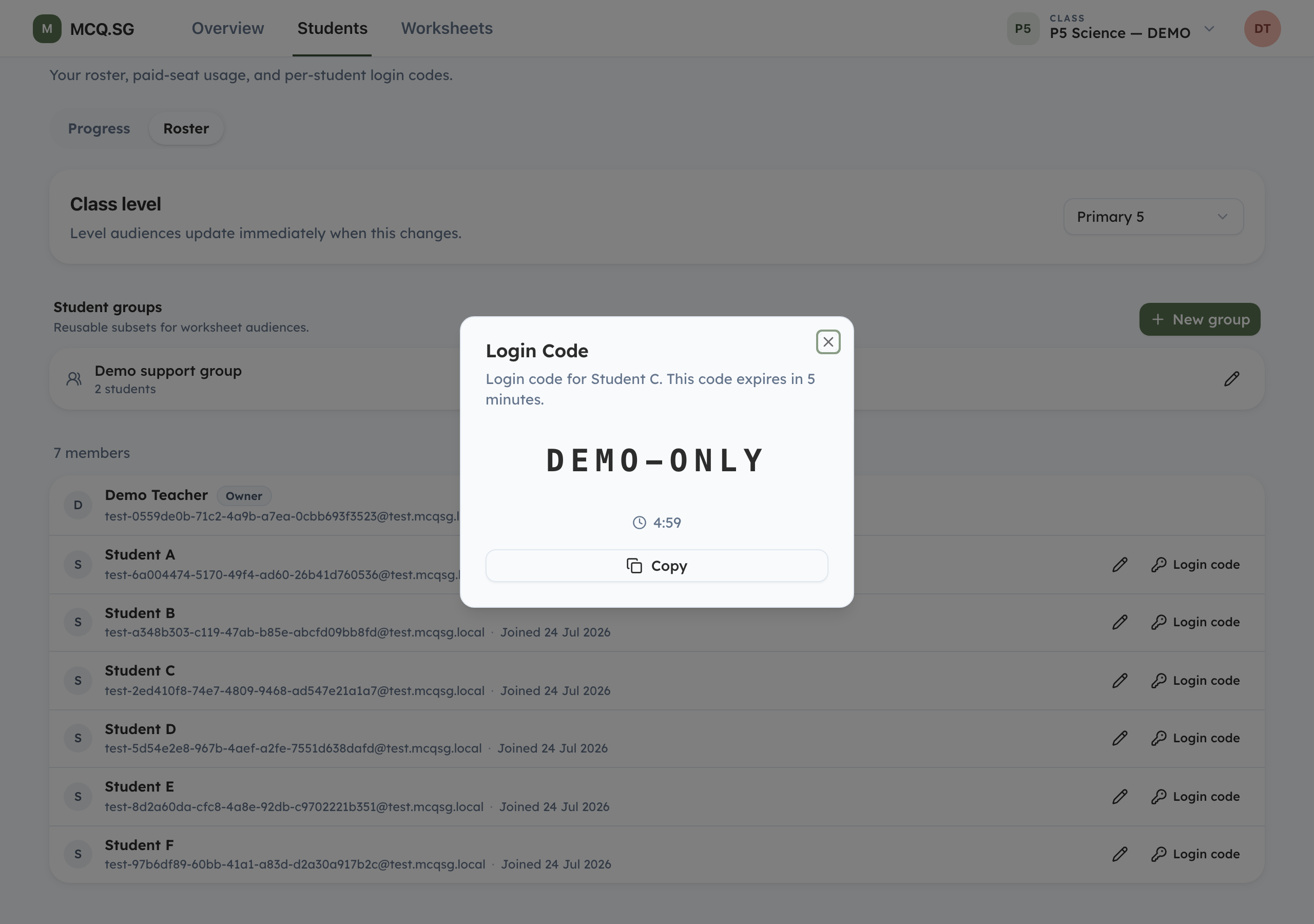
Set the class level, rename a student when needed, and create reusable Student groups for worksheet assignments. Contact MCQ.SG to add or remove class membership.
3Login Codes
Where available for school and non-profit classes, the key button creates a single-use code for an eligible student. It expires after five minutes.
3. Following the Class
Overview can show Last 7 days, Last 30 days, or All time. All time is the default.
1Questions
Questions shows what the class practised and gives each item one primary teaching classification: class review, targeted review, strong outcome, or more responses needed. The clearest teaching opportunities appear first, while exact class evidence remains on each card. Bookmark useful items in Saved or select questions for full-screen classroom Present mode.

2Topics
Topics lists topic and skill gaps in the active scope. Select a gap to inspect the underlying attempts and students.

3Activity cards
The cards at the top of Overview show questions answered, who practised, the practice trend, independent practice, and how students practised. Session and worksheet filters change those same cards without adding another tab.
4. Worksheets
Worksheet authoring is available to enabled school and tuition organisations.

1Build
Choose level, length, MCQ/OEQ mix, topics, skills, and difficulty. OEQ is available from Primary 3 to Primary 6. Review the suggested set, name it, and save.
2Assign a Worksheet
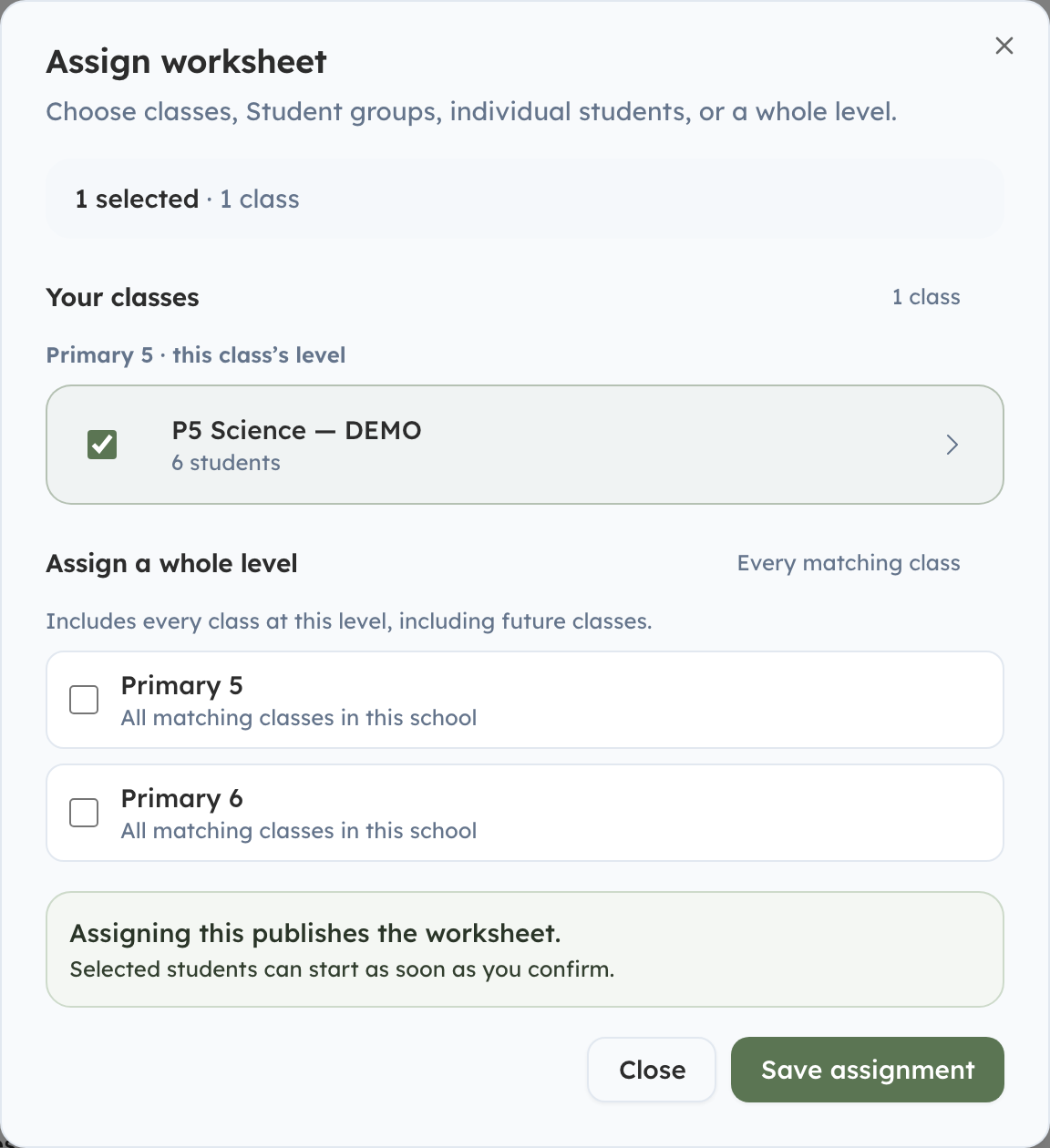
Assign a worksheet to a whole class, Student group, individual students, an eligible whole level, or another class in the organisation. Each teacher manages only their own assignment, and started work is retained when the recipients change.
3Follow Up
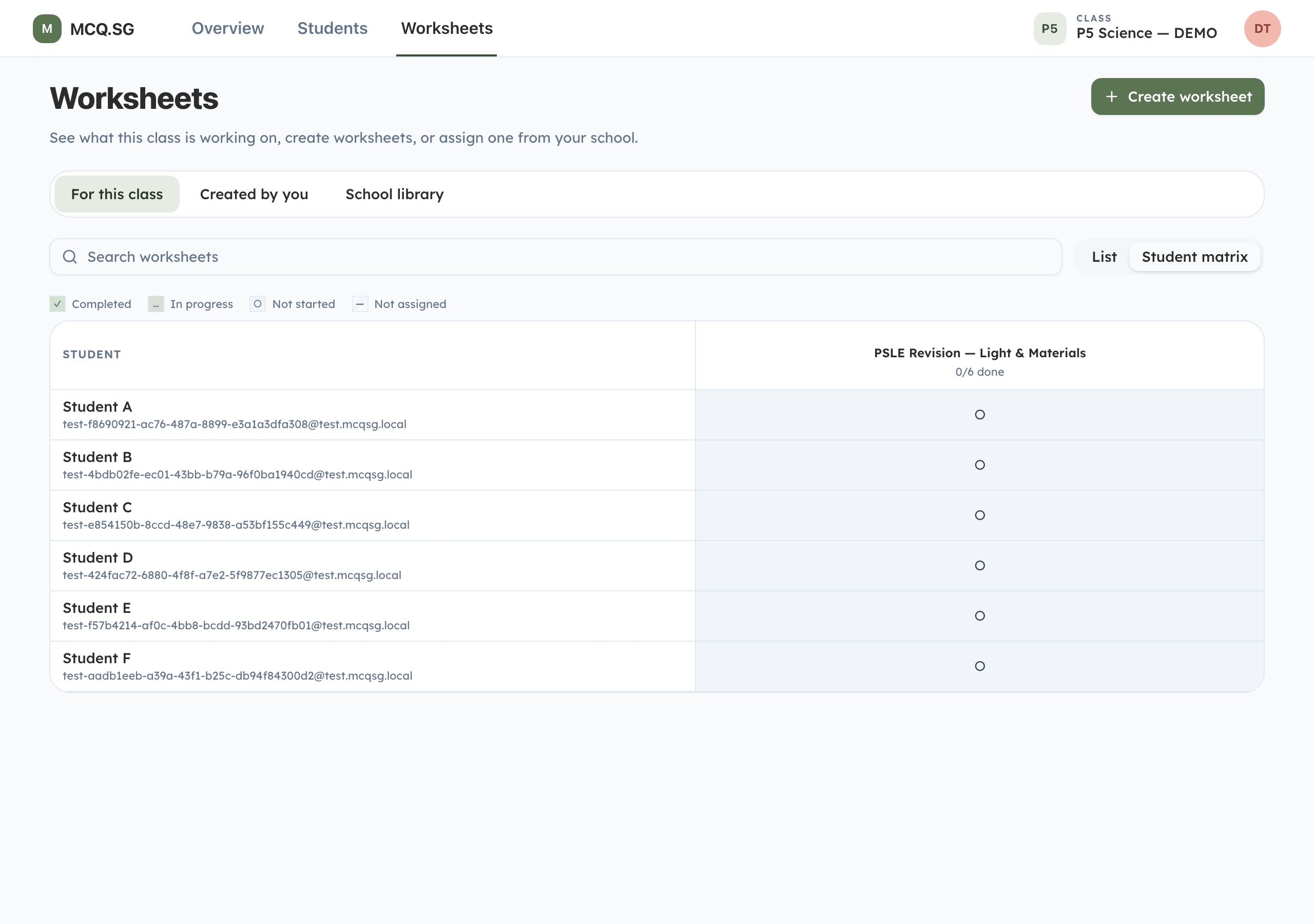
The worksheet list shows Not started, In progress, and Completed. Switch to the Student matrix for a class-wide comparison, or open a worksheet for student status and question-level results.
5. What Students See
Students practise through Daily Practice, Focused Practice, and worksheets. Multiple-choice and open-ended questions both include immediate learning support.

1Ways to Practise
Daily Practice is personalised. Focused Practice lets students pick MCQ or OEQ, level, topics, difficulty, and length. For OEQ, Surprise me starts quickly and How to use? explains the flow.

2Help Before Answering
Supported answer fields include voice input. If a student is stuck, Need help? opens question-specific guidance without revealing the answer.

3Feedback and Follow-Up
MCQ answers get an immediate short explanation and expandable detail. Ask a question opens the Tutor with suggested prompts and text or voice input.

4Automatic OEQ Marking
Written answers are marked part by part, including partial credit. Students receive coaching, a suggested answer, and reasoning steps.
The screenshot is a representative example rendered with the same result components used by the app.
6. Reports, Progress, and History
Students can review their own work. Where weekly parent reports are enabled, families also receive a concise practice summary.

1Parent Report
The report summarises recent numbers, what is working, what needs attention, the current focus, and practical suggestions for home.

2History
History groups past practice by date and can narrow the list to answers that need review or questions the student skipped.

3Progress
Progress shows overall mastery and breakdowns by topic and question type, helping students decide what to practise next.
Teachers Guide to MCQ.SG
Reviewed 24 July 2026.